
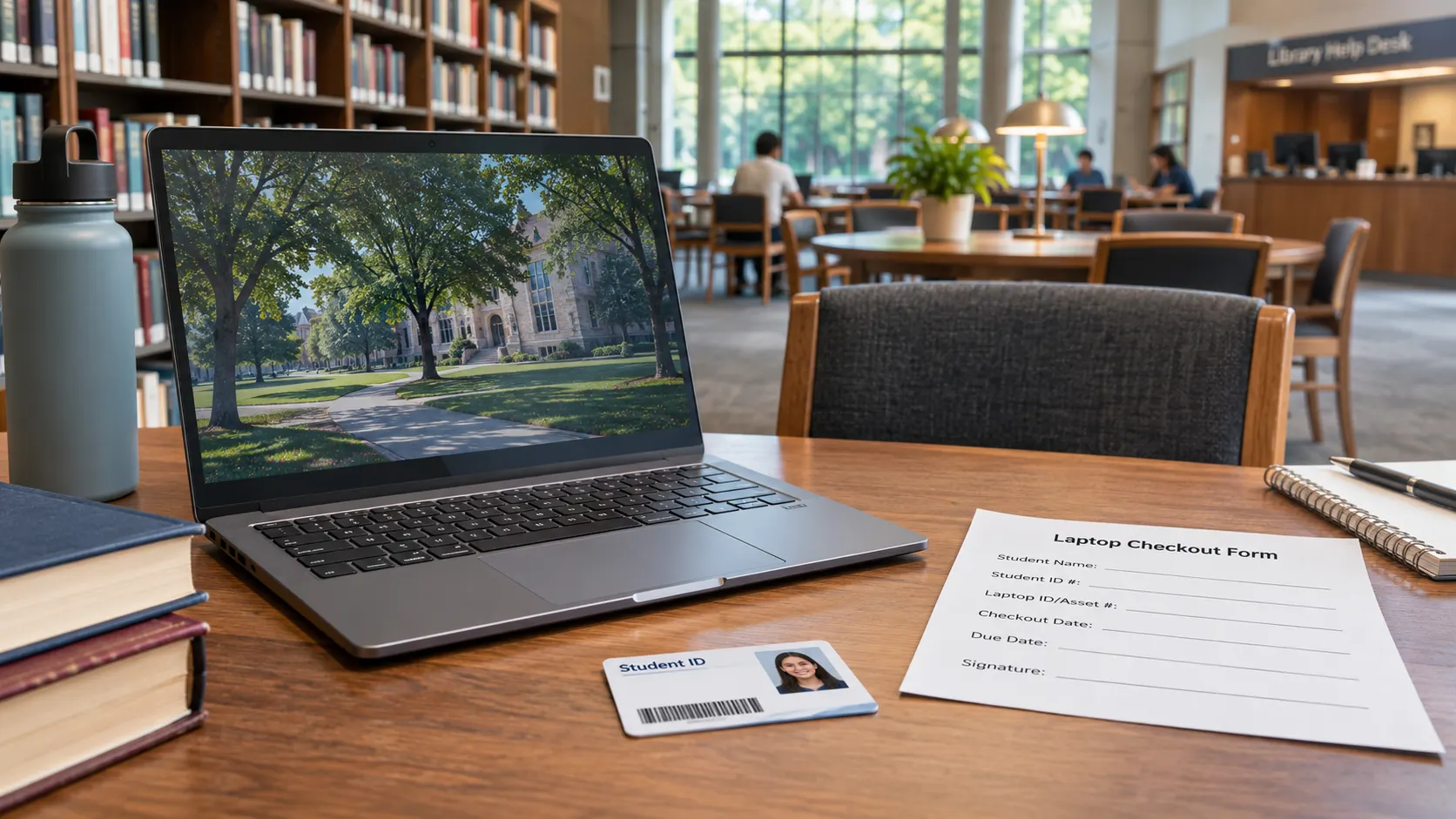
A broken laptop can derail a proctored exam, spreadsheet assignment, or online class. Before paying for a replacement, check your college’s lending options. Here is what real campus policies say and what to confirm before checkout.
How College Laptop Lending Usually Works
Campus libraries often manage short loans, while IT or student support offices may arrange semester-long borrowing. Some schools also lend hotspots or accessories, but a hotspot provides internet access, not a computer.
Even one institution may offer different loan periods. The University of Texas at El Paso (UTEP) lists seven-day and semester-long Windows loans. The University of Georgia Libraries requires semester loaners back two business days after finals, without renewal.
The distinction to remember: A loaner is borrowed, a computer lab is shared access, a refurbished purchase becomes yours after purchase, and a donated laptop is free to keep only when the provider explicitly transfers ownership.
Where Students Should Check First
Ask these campus offices about actual inventory:
- Campus library: Search “laptop checkout” or “semester technology loan.” Ask whether devices can leave the building.
- IT help desk: Check device type, required software, support, and reservations.
- Dean of Students: Ask about emergency loans and waitlists.
- Financial aid office: Ask about purchase assistance; a budget review is not a free grant.
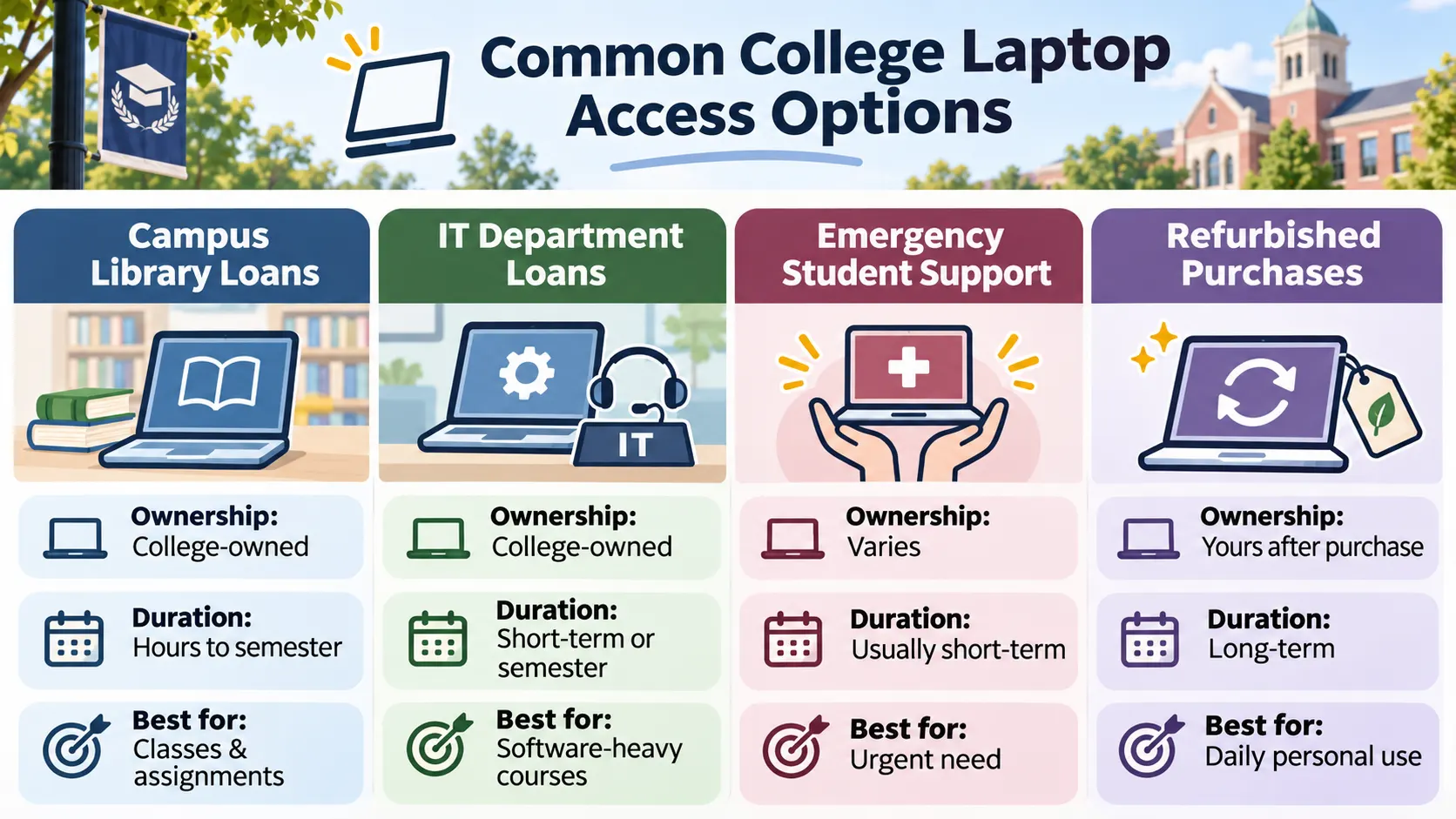
Here is how those options compare:
| Campus option | What it may provide | Ownership | Key question before you rely on it |
|---|---|---|---|
| Library laptop checkout | Hours, days, or semester loan | College-owned | Is it take-home, and what is the exact due date? |
| IT department checkout | Course-ready Windows/Mac laptop, sometimes accessories | College-owned | Can it run required software and exams? |
| Emergency student support | Need-based loan or limited donated device | Depends on written program terms | Is this a loan, a waitlist, or a free-to-keep device? |
| Refurbished laptop purchase | Used computer sold at a lower price | Buyer-owned after purchase | What is the total cost, warranty, and return policy? |
Before traveling to campus, call or email the checkout desk. Ask whether the laptop is reserved for you, whether pickup requires an appointment, and whether the device works off campus. A posted program page may describe eligibility without showing live stock.
For a broader overview beyond campus programs, see free laptop options for students.
Worked example: Checking a laptop for one semester
Hypothetical student and process, not a claim about available inventory.
Jordan needs a Windows laptop through finals. After checking the course syllabus, Jordan opens Citrus College’s laptop guide. It lists semester-long Chromebooks and Windows PCs available for a semester or 48 hours. Jordan asks the library whether a semester-long Windows PC is actually in stock.
Jordan brings a college ID and registration proof, reads the agreement, checks software restrictions, and records the return deadline. Because the class uses online exams, Jordan also confirms the laptop has a working webcam and required testing software. No loan is assumed until staff confirm inventory.
Community College vs. University Laptop Programs
Program rules matter more than school type.
At Bristol Community College, registered students may borrow Chromebooks and other equipment for up to a semester with an activated library card and signed agreement. Citrus College offers semester-long Chromebooks and Windows PCs, plus 48-hour Windows loans. Its Chromebooks cannot run personally installed software.
UAB Libraries uses a lottery for limited semester loans to students taking at least six credit hours. Its Fall 2026 application window ended September 4, so check for future rounds.
The University of Wisconsin-Milwaukee requires at least half-time enrollment and demonstrated financial need for emergency loans. Eligible students are limited to one semester-long loan during their enrollment. There is no universal campus rule.
Enrollment, Financial Aid, and Documentation Requirements
Expect requests for a campus ID, current class schedule, borrower agreement, and sometimes proof of need. Citrus College requires a photo ID and proof of current registration.
Financial-aid status does not guarantee a loan. Sierra College prioritizes financially needy students early in the term, with financial-aid application, enrollment, and computer-access conditions. Its page reported no loaner stock as of August 24, 2026. Check today’s inventory directly.
For purchases, the 2026–27 Federal Student Aid Handbook permits reasonable computer costs in cost-of-attendance calculations. This is not automatic payment. Iowa State says its budget adjustment can increase loan eligibility, not grants or scholarships. Check with financial aid before purchasing.
Submit documents through official student portals. Never share passwords or PINs.
Loan Duration, Repairs, Returns, and Graduation Rules
A semester loan does not last until graduation. At the University of Georgia, devices are due two business days after finals, even if borrowed late. Students withdrawing from all classes must return them sooner; renewals are unavailable.
Diablo Valley College allows another term with proof of next-term registration. Chromebook files are erased on return, so back up coursework and sign out first.
Free checkout can still involve charges for damage, lost laptops, or missing chargers. Citrus warns of replacement charges and account holds. Report problems immediately; ask about repairs, return location, book-drop restrictions, and exact deadlines after withdrawal or graduation.
What to Do If Your College Has No Laptop Inventory
If the waitlist is long, ask about campus computer labs, short-term exam loaners, public library Chromebooks, and department computer rooms. Check Windows-only software, proctoring requirements, and camera needs before accepting a Chromebook.
If an assignment is due before a loaner becomes available, tell your instructor what access you have and ask whether a campus lab will meet the course requirements. Save files in a school-approved cloud account rather than on a shared computer. For an accessibility-related technology need, contact your college’s disability services office about approved equipment or accommodations.
A rare alternative is a free-to-keep donation. Eastern Illinois University says selected students without reliable computer access may receive a used laptop that becomes theirs. Supply is limited, and approval is not guaranteed.
If you are finishing high school, see online diploma and laptop support. For third-party offers, use the laptop application verification checklist and compare full refurbished-device costs.
Moving from high school to college? A school-issued Chromebook may need to be returned at graduation or transfer. Review the K-12 school Chromebook loan and return rules before assuming an existing school device will cover first-semester college work.
Check Required Software, Exams and Device Restrictions
A laptop that can open a browser may still be unsuitable for a course. Check the syllabus or ask your instructor whether assignments require a Windows-only program, a specific operating system, a proctoring or LockDown Browser tool, an accessible input device, a webcam, or administrator permission to install software. Confirm those requirements with the campus technology desk before reserving a loaner.
A semester-long Chromebook may work well for cloud documents and ordinary online classes, but some personally installed applications will not run on it. Citrus College specifically restricts personal software installation on its Chromebooks. UTEP publishes Windows loaner specifications that include LockDown Browser. These examples show why the right device type matters more than whether a program calls it free.
Before returning any college-owned laptop, follow the institution's instructions to back up class files, sign out of cloud accounts and remove saved passwords. Do not rely on the library to recover your documents. Diablo Valley College's policy says Chromebook data is erased when the device is returned. Never share login credentials with a person offering to unlock a student laptop benefit.
When Campus Inventory Is Empty: A Practical Backup Plan
- Need a computer today? Ask the campus library about on-site stations, reserved computer labs, and short-term loaners suitable for your assignment.
- Need it at home this week? Check public library laptop lending programs. Some systems offer take-home Chromebooks while others allow in-building use only, so ask about card requirements and the return date.
- Need the device through finals? Ask IT, student services and the dean's office about semester loans or emergency technology support; verify eligibility and the actual stock before making plans.
- Need to own a computer? Compare income-qualified refurbished laptop programs and any verified university donation program. A lower-price purchase or a budget adjustment is not automatically a free laptop.
Use our local laptop help resources for additional community options. If a deadline is approaching, tell your instructor which computer access you currently have and request guidance rather than assuming a waiting-list application will be filled in time.
Frequently Asked Questions
Can college students borrow a laptop for free?
Yes. UTEP and Citrus list no-cost checkout, but devices remain borrowed and losses or damage can trigger charges.
Can I get a laptop for the entire semester?
Yes, at some schools including Bristol, Citrus, and UGA. Confirm inventory and the exact due date.
Does a Pell Grant or FAFSA automatically qualify me?
No. Colleges may use aid records, enrollment thresholds, waitlists, or lotteries. Check campus rules.
Can online or part-time students borrow a college laptop?
Possibly. Some schools require six credits or half-time enrollment. Online classes alone do not guarantee a device.
Do I have to return a laptop if I withdraw or graduate?
Yes, when the device is a loaner. Withdrawal can trigger earlier returns. Follow your signed agreement.
Can financial aid cover the cost of buying a laptop?
A school may adjust your cost-of-attendance budget, but that does not guarantee free equipment or additional funding. Ask your aid office.
Bottom line: Ask your college library and IT office first, then student support and financial aid. Confirm the device type, term eligibility, inventory, paperwork, fees, and written return deadline. A verified loan that meets your coursework needs is far more useful than a vague promise of a free laptop.
Official College Policies and Federal References
We reviewed the primary sources below on November 5, 2026. These are published examples, not a live campus inventory feed. Program dates, eligibility, pricing and return terms may change, so confirm them directly with the institution before traveling or applying.
- UTEP Technology Support: equipment checkout and loan periods
- Citrus College Library: student laptop and Chromebook checkout
- University of Georgia Libraries: semester CARES laptop program
- UAB Libraries: semester laptop lottery requirements and 2026 dates
- Sierra College: library loan eligibility and dated inventory notice
- Federal Student Aid: 2026–27 cost-of-attendance guidance
- Eastern Illinois University: limited donated used-laptop program
Editorial boundary: We publish independent information and do not lend, sell, reserve, approve or distribute laptops. To compare broader device options, start with our free laptop assistance overview.